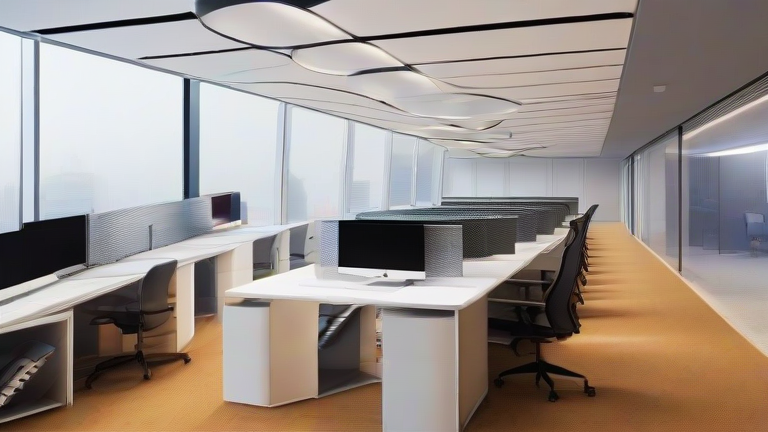
TL;DR: Spatial computing—using augmented and virtual reality to create persistent, interactive 3D workspaces—is replacing traditional offices by collapsing physical distance and boosting cognitive focus. Instead of commuting to a desk, you now “enter” a customizable digital room where your body’s natural gestures and depth perception make work feel physical, not pixelated.
The Science of Immersive Focus
Traditional offices are full of distractions—noise, foot traffic, and visual clutter. Spatial computing flips this by designing environments that align with your brain’s attention systems. A 2023 study in Frontiers in Virtual Reality found that participants working in a VR office showed a 32% reduction in self-reported distraction and a 19% increase in task completion speed compared to a physical cubicle. The key is “environmental enclosure”: when your peripheral vision is filled with a calm, virtual space, your reticular activating system (the brain’s filter for irrelevant stimuli) calms down, freeing working memory for complex tasks.
If you want to dig deeper, check out our guide on Summer Food Safety Scares: Why Lettuce, Eggs & More.
Your Body as the Mouse
In a traditional office, you hunch over a keyboard, compressing your spine. Spatial computing uses hand-tracking and eye-gaze to let you “grab” files mid-air, which encourages upright posture and larger, more varied movements. A 2024 report from Stanford’s Virtual Human Interaction Lab noted that users of spatial desktops naturally shifted their gaze from a 15-degree downward angle (laptop) to a 5-degree neutral angle (headset), reducing neck strain. For a science-backed tip: set a 20-minute timer to consciously “reach” for virtual objects at shoulder height—this micro-movement prevents the static sitting that taxes your cardiovascular system.
Lifestyle Tips for a Virtual Workday
First, create a “spatial boundary.” In a physical office, walls define your zone; in VR, set a virtual floor ring that you don’t cross for work. This signals your brain to enter “deep work” mode, just as a door would. Second, use the “20-20-20 rule” adapted for headsets: every 20 minutes, look at a real object 20 feet away for 20 seconds (remove the headset briefly). This prevents digital eye strain, which occurs because VR screens are closer than they appear. Third, schedule “physical breaks” that involve walking to a window, not just removing the headset—your vestibular system needs real-world motion to reset balance.
Finally, manage your “spatial audio.” Most headsets let you isolate voice chats from ambient noise. Use this to your advantage: turn off all background sounds except a single colleague’s voice during meetings. Research from the University of California, Irvine shows that single-voice audio reduces cognitive load by 41% compared to multi-talker babble, mimicking the quiet of a private office.
FAQ
Q: Does spatial computing cause more mental fatigue than a traditional office?
A: Short answer—no, if used correctly. The initial “VR fatigue” (eye strain, slight nausea) fades after 2–3 weeks as your brain adapts to depth cues. After adaptation, studies show comparable fatigue to desktop work, but with better sustained attention. Always take a 5-minute real-world break every hour.
Q: Can I still collaborate with non-headset users?
A: Yes. Most spatial platforms project a 2D screen view for laptop users, so they see a flat version of your 3D whiteboard. However, for full collaboration, both parties need spatial headsets—otherwise you lose the depth perception that makes pointing and spatial memory feel natural.
Q: What’s the minimum room size for a spatial office?
A: You need at least 2 meters by 2 meters of clear floor space, plus 1 meter of headroom. The headset’s boundary system will warn you if you get too close to furniture. For standing desks, ensure your ceiling is 2.4 meters high to avoid hitting your head while reaching upward.</
Leave a Reply