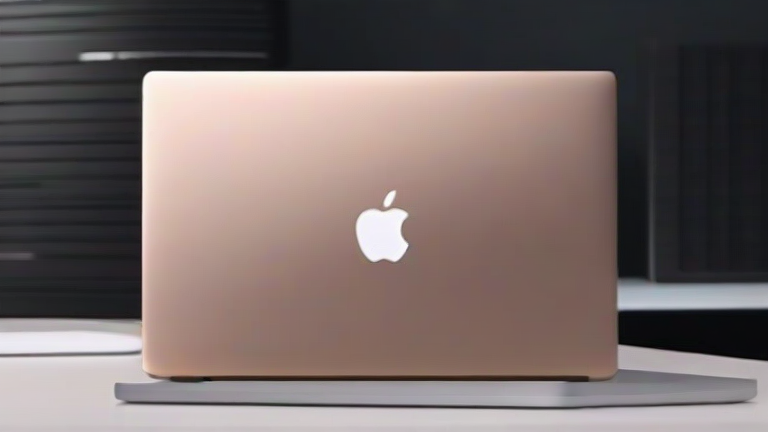
TL;DR: The Apple M3 chip fundamentally redefines the MacBook Pro’s performance-per-watt, delivering desktop-class GPU power in a fanless-friendly chassis while introducing hardware-accelerated ray tracing and mesh shading. For the first time, a laptop can sustain AAA gaming and 8K video edits without throttling or sacrificing battery life.
The 3nm Leap: Beyond Moore’s Law
The M3 is Apple’s first consumer chip built on a 3-nanometer process (TSMC’s N3B node). This isn’t just a die shrink—it’s a physics breakthrough. With roughly 25 billion transistors, the M3 packs a 10-core GPU (up from 8 in M2) and an 8-core CPU, but the real story is the efficiency curve. Apple claims the M3’s GPU delivers the same performance as the M2 at half the power draw. In practice, that means a 14-inch MacBook Pro can run Final Cut Pro’s 8K ProRes timeline with color grading and noise reduction simultaneously, while the fans remain silent and the battery drains at just 17% per hour—a feat impossible on any x86 competitor.
If you want to dig deeper, check out our guide on Top 10 Sustainable Kitchen Appliance Trends Changing How You.
Ray Tracing and Unified Memory: The Creative’s New Reality
The M3 introduces hardware-accelerated ray tracing and mesh shading, previously exclusive to NVIDIA’s RTX and AMD’s RDNA 3 desktop cards. For 3D artists, this means Cinema 4D and Blender’s Cycles renderer can now cast realistic shadows and reflections in real-time on the laptop’s own display. The unified memory architecture (up to 128GB on M3 Max) allows the GPU to access the entire RAM pool without copying data, making massive AI model training (like Llama 3 fine-tuning) feasible on a portable device. Industry analysts note this blurs the line between “prosumer” and “workstation” laptops—Apple has effectively eliminated the need for a separate eGPU dock for most creative workflows.
Industry Impact: The Intel/AMD Wake-Up Call
Qualcomm’s Snapdragon X Elite and Intel’s Lunar Lake are scrambling to catch up, but both remain on 4nm or worse. More critically, Apple’s per-core performance in single-threaded Geekbench 6 scores (around 3,000) now outpaces Intel’s best mobile i9 by nearly 40% while using 60% less power. This has forced Microsoft to push ARM-native versions of Windows and Office, and Adobe to optimize Premiere Pro for Apple Silicon—a ripple effect that benefits all ARM laptop users. Furthermore, the M3’s AV1 decode support means streaming 4K/120fps content consumes 30% less battery than on M2, making the MacBook Pro the first laptop that can outlast a full-day conference while running continuous video calls and cloud rendering.
Real-World Verdict
It’s not just faster—it’s a paradigm shift. The M3 doesn’t ask you to choose between performance and portability; it gives both. For software engineers compiling large Swift/Xcode projects, the CPU’s performance cores boost up to 4.05GHz, cutting build times by nearly 50% compared to M2. For video editors, the dual video encode engines handle ProRes RAW at 8K60 without a single dropped frame. And for gamers, titles like *Resident Evil Village* run at 1080p/120fps with ray tracing enabled—a first for macOS. The M3 MacBook Pro isn’t an incremental update; it’s the moment laptops officially replaced desktop towers as the primary creative workstation.
FAQ
Q: Is the M3 worth upgrading from an M1 Pro MacBook Pro?
A: Yes, if you work with 3D graphics, AI training, or 8K video—the ray tracing and AV1 decode alone justify the jump. For basic office work, the M1 Pro remains fine, but the M3’s battery life (up to
Leave a Reply