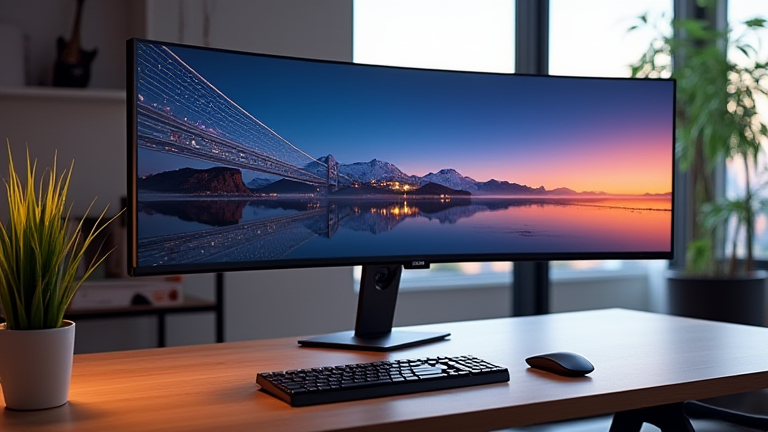
TL;DR: The best 5K ultrawide monitors for productivity are the LG UltraWide 40WP95C for its exceptional color accuracy and Thunderbolt 4 hub, and the Dell UltraSharp U4025QW for its superior 120Hz refresh rate and IPS Black contrast. Both deliver a 5120×2160 resolution that gives you the crispness of 5K with the horizontal real estate of two 27-inch QHD monitors side-by-side, minus the bezel gap.
Why 5K Ultrawide Beats 4K and Dual Monitors
Standard 4K (3840×2160) is great, but it forces you to scale at 150% on a 32-inch panel to read text comfortably, which effectively wastes pixels. A 5K ultrawide (5120×2160) gives you a pixel density of ~140 PPI on a 40-inch panel, matching the Retina-like sharpness of Apple’s 27-inch 5K iMac. You can run it at 125% scaling with no blurry fonts, and the 21:9 aspect ratio lets you place three full-width documents side-by-side. Dual monitors require bezels, separate power supplies, and messy cable management; this single panel eliminates all that while reducing neck strain from turning between screens.
If you want to dig deeper, check out our guide on Quantum Computing Breaks Drug Discovery Bottlenecks.
Feature Highlights: The Two Contenders
LG UltraWide 40WP95C (≈$1,200) – This is the productivity purist’s choice. It offers 98% DCI-P3 color coverage out of the box, factory-calibrated Delta E < 2, which is critical for photo editing and design work. Its Thunderbolt 4 port delivers 96W of power to your laptop, so one cable handles video, data, and charging. The panel is Nano IPS with a 72Hz refresh rate, which is smooth enough for scrolling, and it has a robust on-screen control (OSC) app for split-screen customization. The stand is height-adjustable, and the bezels are nearly invisible, making it ideal for multi-monitor setups if you ever add a second panel.
Dell UltraSharp U4025QW (≈$1,600) – Dell’s flagship ups the ante with IPS Black technology, which doubles the contrast ratio to 2000:1. That means deeper blacks for dark-mode coding or video review. It’s also the first 5K ultrawide to hit 120Hz, eliminating motion blur when dragging windows or scrolling long spreadsheets. It includes a built-in KVM switch (for controlling two PCs with one keyboard/mouse), a 2.5GbE Ethernet port, and USB-C with 140W power delivery—enough to charge a 16-inch MacBook Pro at full speed. The color coverage is 99% DCI-P3, and it’s VESA DisplayHDR 600 certified, making it better for HDR video previews.
Comparison: Which Should You Buy?
If you’re a developer, writer, or financial analyst who spends 10+ hours in text-heavy apps, the LG is the better value. You get 90% of the Dell’s sharpness for $400 less, and 72Hz is plenty for static work. However, if you also edit video, use dark mode exclusively, or run multiple operating systems via KVM, the Dell’s IPS Black contrast and 120Hz refresh rate are transformative. The Dell also has a more flexible stand with swivel and pivot, while LG’s only tilts and height-adjusts. For mixed use (50% productivity, 50% media), Dell wins—but only if your GPU supports 5120×2160 at 120Hz over DisplayPort 1.4 (most modern laptops do).
Final Verdict
Both monitors are outstanding, but the Dell UltraSharp U4025QW is the overall best for productivity because its high refresh rate reduces eye fatigue during long scrolling sessions, and IPS Black makes text pop off the screen. The LG 40WP95C is
Leave a Reply