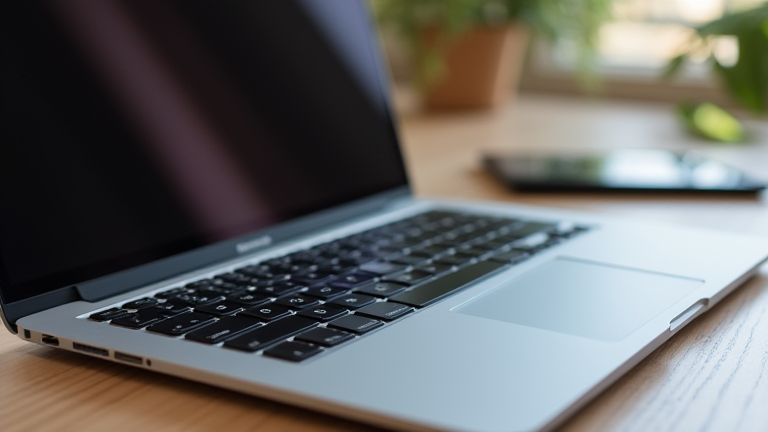
Why Apple Silicon MacBooks Are Still the Best Buy for Creative Professionals
TL;DR: Apple Silicon MacBooks remain the optimal choice for creative professionals because their unified memory architecture and advanced neural engines deliver unmatched single-core performance and efficiency. This results in faster rendering, smoother video editing, and significantly longer battery life compared to traditional x86 processors.
The transition to Apple Silicon has fundamentally reshaped the landscape for digital creators. Since the introduction of the M1 chip, Apple has refined its architecture with the M2 and M3 generations, each bringing substantial improvements in GPU performance and media engine capabilities. For professionals working with 4K or 8K video, the dedicated hardware accelerators for H.265, HEVC, and ProRes are not just convenient features; they are essential tools that drastically reduce render times. This efficiency allows creators to work untethered from power outlets for extended periods, a critical advantage for freelancers and those in mobile production environments. The thermal management of these chips also ensures consistent performance under heavy loads without the throttling often seen in high-performance PC laptops.
If you want to dig deeper, check out our guide on $8 Habitat Restore: A Sneak Peek Inside.
Latest Developments and Specifications
The latest iterations, particularly the M3 series, introduce a more powerful GPU with hardware-accelerated ray tracing. This technology is a game-changer for 3D artists and game developers, allowing for real-time rendering of complex scenes with photorealistic lighting. The unified memory pool, which can be configured up to 36GB in higher-end models, ensures that data moves seamlessly between the CPU and GPU without the bottleneck of transferring information across separate memory modules. This architecture is particularly beneficial for large-scale projects involving multiple layers of video, audio, and visual effects. Furthermore, the integration of the Neural Engine allows machine learning tasks, such as object detection in video or AI-driven photo enhancements, to run locally and at speeds that far exceed what is possible on most competing hardware. This local processing also enhances privacy, as sensitive creative data does not need to be sent to cloud servers for analysis.
Industry Impact and Ecosystem Advantages
The impact of Apple Silicon on the creative industry extends beyond raw performance metrics. The software ecosystem has matured significantly, with major applications like Adobe Creative Cloud, Final Cut Pro, and DaVinci Resolve now fully optimized for Apple Silicon. These applications leverage the specific strengths of the architecture, resulting in a user experience that feels faster and more responsive. The seamless integration between MacBooks, iPads, and iPhones through features like Universal Control and AirDrop creates a cohesive workflow that is difficult to replicate on other platforms. For agencies and studios, the ability to standardize on a single, high-performing hardware platform reduces compatibility issues and simplifies asset management. Moreover, the long-term support provided by Apple ensures that these machines remain relevant and secure for several years, offering a higher return on investment over time. While the initial cost may be higher than some Windows alternatives, the total cost of ownership, when factoring in performance longevity and workflow efficiency, often favors the MacBook for serious professionals.
FAQ
Q: Are Apple Silicon MacBooks suitable for 3D modeling and rendering?
A: Yes, the M3 and M4 chips feature significantly enhanced GPUs with hardware-accelerated ray tracing, making them highly capable for 3D workloads like Blender and Cinema 4D.
Q: How does the battery life compare to Windows laptops?
A: Apple Silicon MacBooks generally offer superior battery life, often exceeding 15-20 hours of real-world creative work, whereas most high-performance Windows laptops last 8-12 hours.
Q: Can I run Windows software on a MacBook?
A: Not natively, but you can use virtualization software like Parallels Desktop to run Windows, though performance will be lower than on a native Windows machine due to emulation overhead.
Leave a Reply