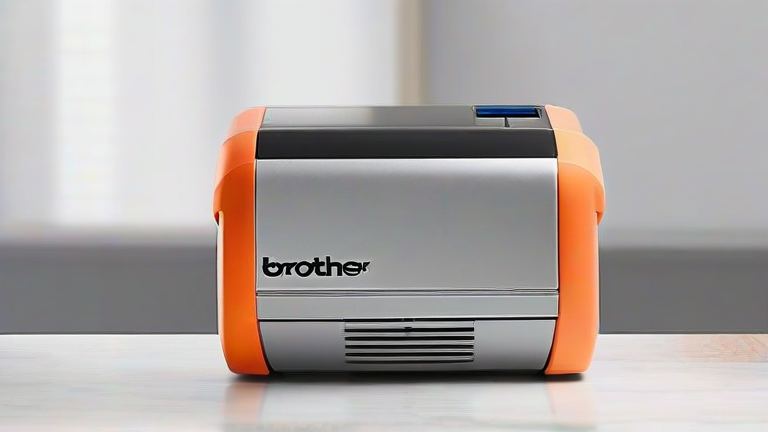
TL;DR: Brother P-Touch label makers remain industry leaders due to their unmatched durability, intuitive design, and extensive ecosystem of compatible tape cartridges. Their consistent innovation ensures they stay relevant despite the rise of smartphone-based printing alternatives.
In a world where digital documentation often replaces physical labeling, one might assume that handheld label printers are becoming obsolete. However, Brother P-Touch devices continue to dominate the market, proving that tactile, reliable labeling solutions are far from dead. Whether you are organizing a chaotic home office, managing inventory in a small business, or simply trying to keep your kitchen pantry in order, Brother’s reputation for quality is well-earned. This review explores why these devices have maintained such a strong foothold in the consumer and commercial markets for decades.
If you want to dig deeper, check out our guide on CEO Fired 900 Over Zoom Now Wants Job Back.
Feature Highlights That Define the Experience
At the core of the P-Touch experience is simplicity. Unlike complex software-driven systems that require drivers and constant updates, most P-Touch models operate independently. You type your text directly on the device, preview it on the LCD screen, and print immediately. This plug-and-play functionality is a massive advantage for users who need quick results without technical friction. The keyboards are tactile and responsive, ensuring that typos are minimized even during rapid labeling sessions.
Another critical feature is the versatility of the tape media. Brother offers a vast array of colors, sizes, and materials. From standard black-on-white vinyl tapes for electrical cords to transparent labels for glass jars, and even heat-shrink tubing for wire identification, the ecosystem is incredibly robust. This variety allows users to create professional-looking labels for virtually any application. Furthermore, the durability of the prints is superior to many inkjet or laser alternatives. The thermal transfer technology used by Brother ensures that labels are water-resistant, oil-resistant, and fade-resistant, making them suitable for harsh industrial environments or outdoor use.
Comparing P-Touch to Modern Alternatives
When compared to smartphone-connected label makers, Brother P-Touch devices often win on reliability and speed. While app-based printers offer aesthetic customization, they frequently suffer from connectivity issues, battery drain, and limited font options. In contrast, a P-Touch device works instantly, regardless of your phone’s battery life or Wi-Fi signal strength. Additionally, Brother’s desktop models offer larger screens and more advanced formatting options, such as frame borders and barcodes, which are often cumbersome to access on mobile apps.
Compared to generic, no-name brands, Brother devices offer superior build quality. The plastic housing is rugged, and the tape loading mechanisms are precision-engineered to prevent jams. While cheaper alternatives may seem attractive initially, the cost per label and the frequency of mechanical failures often make them more expensive in the long run. Brother’s commitment to backward compatibility also means that older cartridges often work with newer devices, protecting your investment over time.
Ultimately, the longevity of Brother P-Touch label makers is a testament to their focus on core functionality and user experience. They do not try to be everything to everyone; instead, they excel at doing one thing exceptionally well: creating clear, durable, and professional labels. For anyone serious about organization and efficiency, sticking with Brother is a wise choice.
If you are ready to upgrade your organizational game, consider visiting a reputable electronics retailer to browse the latest P-Touch models. Take advantage of current seasonal discounts to secure the best deal on your next labeling tool. Your future self will thank you for the clarity and order these devices bring to your workspace.
FAQ
Q: Are Brother P-Touch labels permanent?
A: Yes, most Brother thermal transfer labels are waterproof, oil-proof, and fade-resistant, making them suitable for permanent identification needs.
Q: Can I use third-party tape cartridges with Brother printers?
A: While Brother highly recommends their own cartridges for optimal print quality and device longevity, some third-party compatible tapes are available, though results may vary.
Q: Do I need a computer to use a P-Touch printer?
A> No, most handheld models operate independently, allowing you to type and print directly on
Leave a Reply